
WooCommerce customer analytics that finally shows you the customer.
Go beyond orders and revenue. See who your customers are, who is slipping away, and what to do about it.
WooCommerce customer analytics should tell you who your customers are — not just how many orders you took. The default WooCommerce dashboard reports orders and revenue, but it can't tell you which customers are loyal, which are slipping away, or what shoppers search for and never buy. PureDevs Customer History adds real customer analytics to WooCommerce: revenue done right, RFM and health scoring, churn prediction, and segments — all self-hosted inside wp-admin.
Your store reports orders. It doesn't analyse customers.
WooCommerce tells you how many orders you took and how much revenue you made. It does not tell you which specific customers are worth $2,000 versus $20, which loyal buyers have quietly gone silent, or which products people view but never purchase.
So retention becomes guesswork. You discover a churned regular months too late, and your "average customer LTV" hides the handful of customers who actually carry the store.
The data to answer all of this is already sitting in your store — it just needs analysing from the customer’s point of view.
The solution
Customer analytics, built into wp-admin
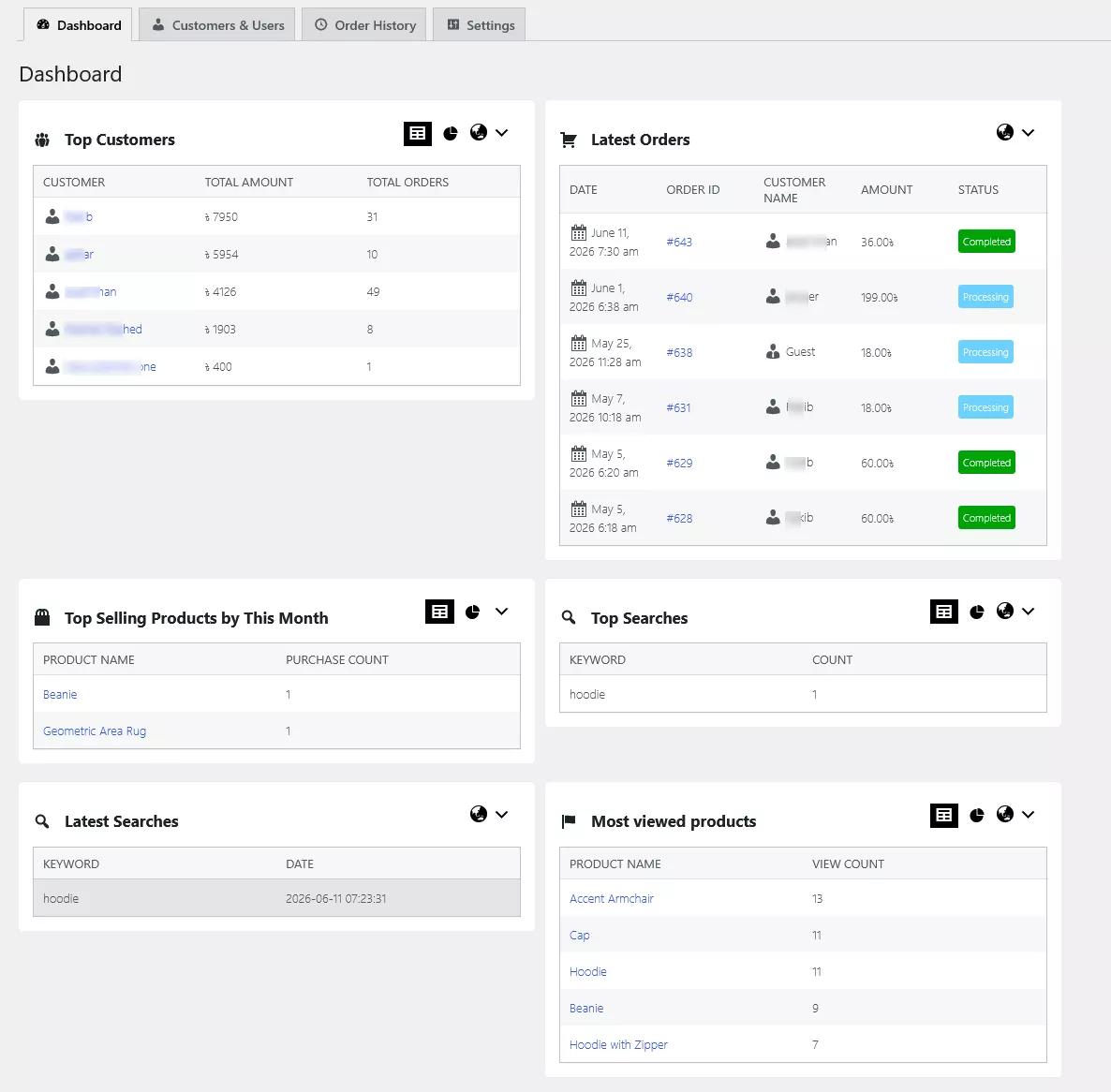
FREE The dashboard is free: a net-revenue snapshot, your top customers by spend, and a searchable customer list for up to 100 customers and the last 90 days of data — real customer analytics with no monthly bill.
PRO Pro adds the full intelligence layer: RFM segments, 0–100 health scores, churn risk, and the sessions, searches and product views behind every order — across your complete history.
How it works
How it works
-
1
Install the free plugin
Add it from WordPress.org and activate — no setup wizard.
-
2
It reads your store
Existing WooCommerce orders are analysed immediately; sessions and searches track from activation.
-
3
See the customer view
Open the dashboard for revenue, top customers, RFM, health and churn.
-
4
Act on it
Save segments and set churn alerts on at-risk customers.
How it compares
PureDevs vs the cloud tools
| PureDevs | Metorik | Metrilo | |
|---|---|---|---|
| Pricing | $99/yr | $50/mo+ ($600+/yr) | $199/mo ($2,388/yr) |
| RFM Scoring | Built-in | Basic | |
| Churn Prediction | With alerts | ||
| Customer Health Score | 0–100 composite | ||
| Self-Hosted | SaaS | SaaS | |
| Data Integrity Checker | |||
| Free Version | 14-day trial | 14-day trial | |
| Automated emails, campaigns & coupons | — observe-only by design |
Comparison based on publicly available pricing as of June 2026 — verify current details on each competitor’s site.
🔥 Founding 50 Offer
Get Pro for $49/year — locked at this price for life.
17 of 50 spots remaining
Claim Your SpotQuestions
Frequently asked
WooCommerce reports orders, revenue and basic product stats, but it has no real customer analytics — no per-customer LTV ranking, RFM, health scoring or churn. PureDevs Customer History adds exactly that.
Customer History ranks every customer by total spend and shows top customers by lifetime value on the dashboard, plus a financial summary on each customer profile.
Yes — there's a free version with the dashboard, customer list and 90 days of data. Pro ($99/year, or $49 for Founding 50) unlocks full history and the intelligence layer.
It tracks lightly on the front end and does the heavy analysis in wp-admin with cached queries, so the storefront stays fast.
Yes — all analytics live in your own WordPress database. Nothing is sent to a third-party service.