PureDevs WP Locker
PureDevs WP Locker is a simple yet powerful plugin that lets you lock down your entire WordPress site behind a single password. Ideal for development sites, redesigns, or private content, it ensures only authorized visitors can access your site.
Lock Your Site with a Single Password
Simple yet powerful site protection for development, staging, and maintenance periods
Site-Wide Password Protection
Require a single password to access your entire WordPress site. No complex user management - just one password for complete site protection.
Customizable Login Form
Personalize the login page with custom form headings to explain site status and custom button labels for password submission.
IP-Based Authentication
Automatically saves authenticated user IPs in both cookies and database for seamless re-access without repeated password entry.
Theme Template Override
Customize the login template to match your brand by creating a custom folder in your theme. Full design control.
Perfect for Development Sites
Protect staging and development WordPress sites from public access. Keep work-in-progress sites private and secure.
Hide from Bots & Crawlers
Block general visitors, search engine bots, and automated crawlers from accessing your site during development or maintenance.
Maintenance Mode Protection
Ideal for website redesigns or major updates. Prevent public access while you make significant changes to your site.
Simple Setup & Configuration
Three-step installation: download, activate, and configure via Dashboard > Settings > PureDevs WP Locker. Ready in minutes.
Single-Password Simplicity
No need for complex user account management. One password controls access for everyone - simple and effective.
Default Login Template
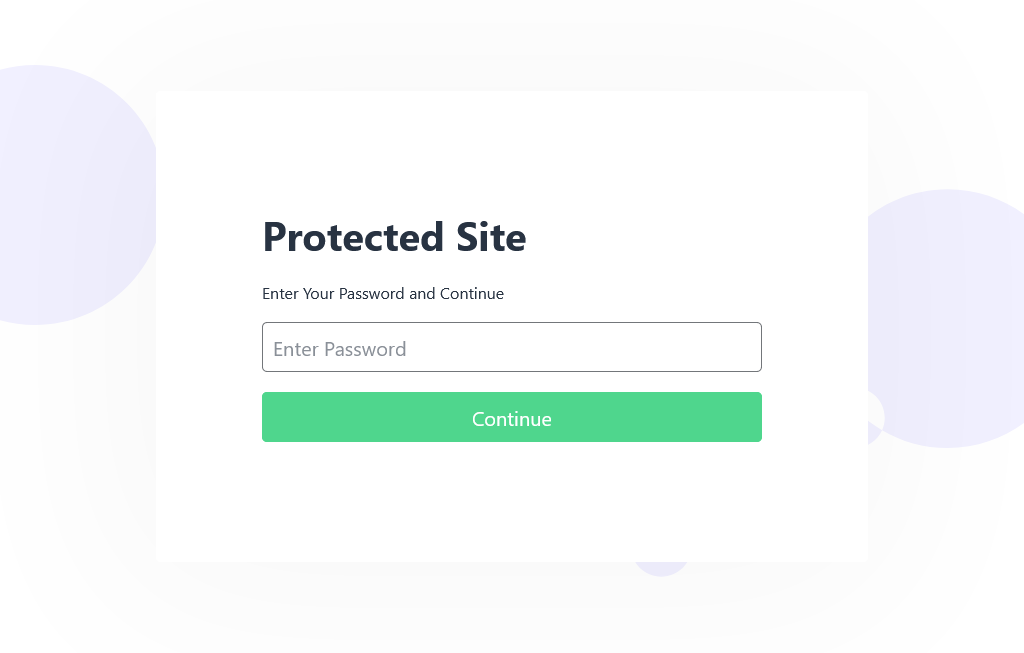
Comes with a professional default login page template. Use as-is or customize to match your branding needs.
Lightweight & Fast
Minimal performance impact on your site. Efficient code that protects without slowing down your WordPress installation.
Universal Compatibility
Works with WordPress 3.5 and above, tested through 6.8.3. Compatible with all modern WordPress themes and plugins.
See It In Action
Take a closer look at the plugin interface and features
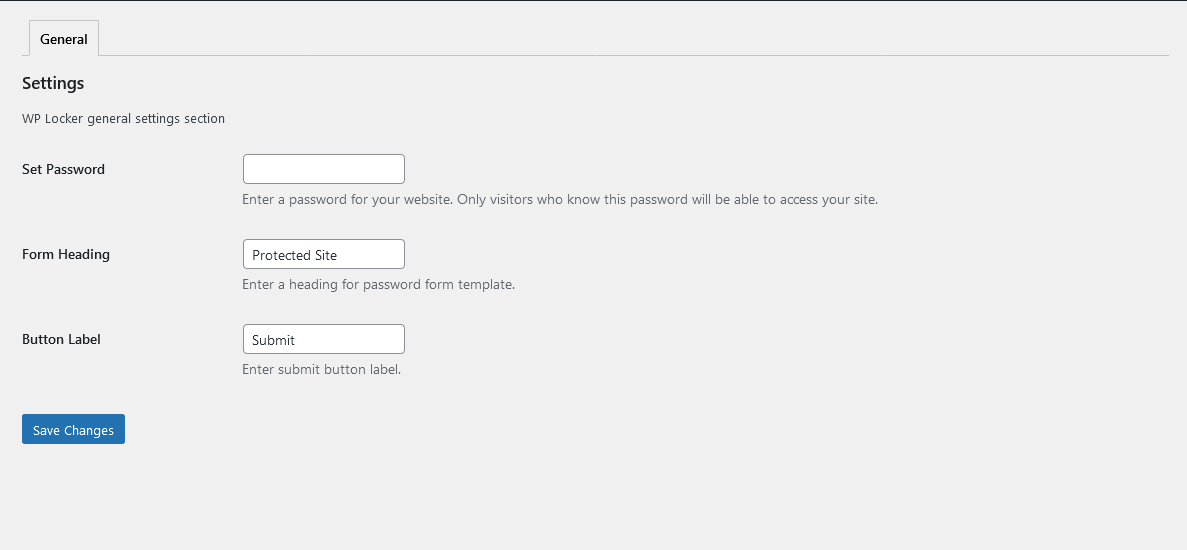
Plugin Settings Section
Locked Frontend
Frequently Asked Questions
Find answers to common questions about PureDevs WP Locker
Yes, we will keep updating the plugin and keep adding relevant, useful features that will be compatible with the future version of WordPress.
Only visitors who know the password will be able to access your site.
To override the default login page templete, you need to find and copy the password-form-template.php from the includes/templates folder of puredevs-wp-locker plugin, then create a new folder in your theme folder and name it “puredevs-wp-locker”; once that is done, past the password-form-template.php file in your theme’s newly created “puredevs-wp-locker” folder.
Ready to Get Started with PureDevs WP Locker?
Download PureDevs WP Locker today and transform your WordPress site.